


A Better Mobile Experience Is Coming!
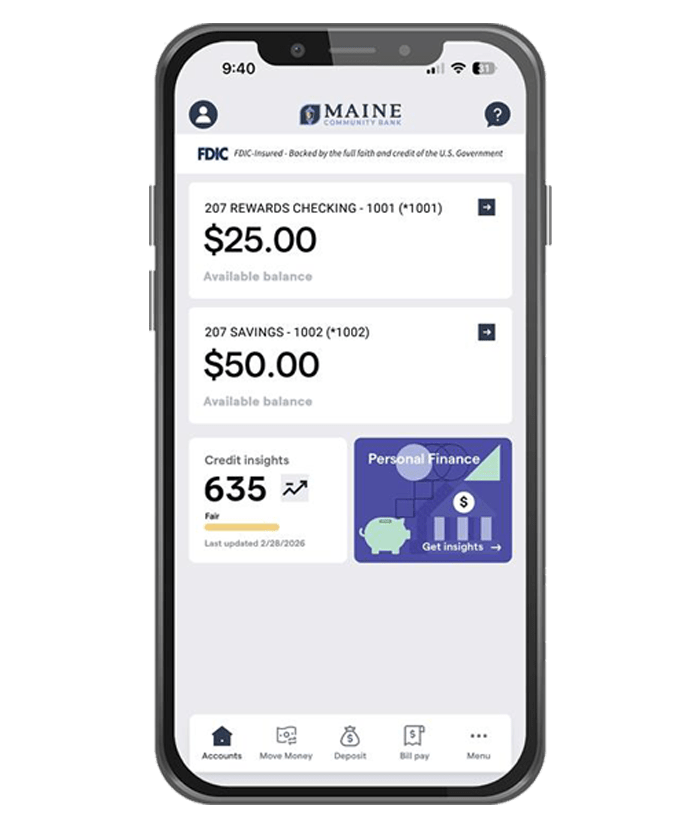
We’re excited to introduce an enhanced MCB Mobile App experience, on March 17, featuring a simplified login, streamlined navigation, and enhanced Personal Bill Pay features.
As part of this upgrade, Personal Bill Pay will be temporarily unavailable on Tuesday, March 17 between approximately 4:30 AM and 10:00 AM while we transition to our new system.
What You Can Expect
- Your existing payees and payment history will carry over
- Scheduled payments will process as planned
- Access easily through the new app once the Personal Bill Pay upgrade is complete
Please download the latest version of the MCB Mobile App from the Apple App Store or Google Play Store once it becomes available. You will need to sign in with full credentials and reestablish biometrics the first time you log in.
Thank you for your patience as we bring you an improved mobile banking experience.
Frequently Asked Questions (FAQs)
Personal Bill Pay will be temporarily unavailable during the upgrade on March 17 from approximately 4:30 AM–10:00 AM. Once the upgrade is complete, make sure you have the latest version of the MCB Mobile App installed to access Bill Pay. You will need to sign in with full credentials and reestablish biometrics the first time you log in.Why can’t I see Bill Pay in the mobile app?
Yes. All your existing payees and payment history will automatically carry over to our enhanced Personal Bill Pay system.Will my payee and payment history information be carried over?
Yes. Any payments you scheduled before the upgrade will be processed as planned.Will my scheduled payments still be made during the upgrade?
After the upgrade on March 17, download the latest version of the MCB Mobile App from the Apple App Store or Google Play Store to enjoy the enhanced Personal Bill Pay experience. You will need to sign in with full credentials and reestablish biometrics the first time you log in.How do I access the new Bill Pay features on mobile?